

May 2, 2022
Seventy-one! That is how many discussion posts I made this weekend. How do I know? Because I finally found this handy little trick that allows you to subscribe to discussion posts in Blackboard.
If you have also had a difficult time keeping up with discussion posts that are made/added after your last review, then maybe this little trick will prove helpful to you too.
Update!! (June 2022)
Now that the Blackboard System has updated to Ultra, the subscription feature is no more. However, there is still a way to be notified when new discussion posts are made.
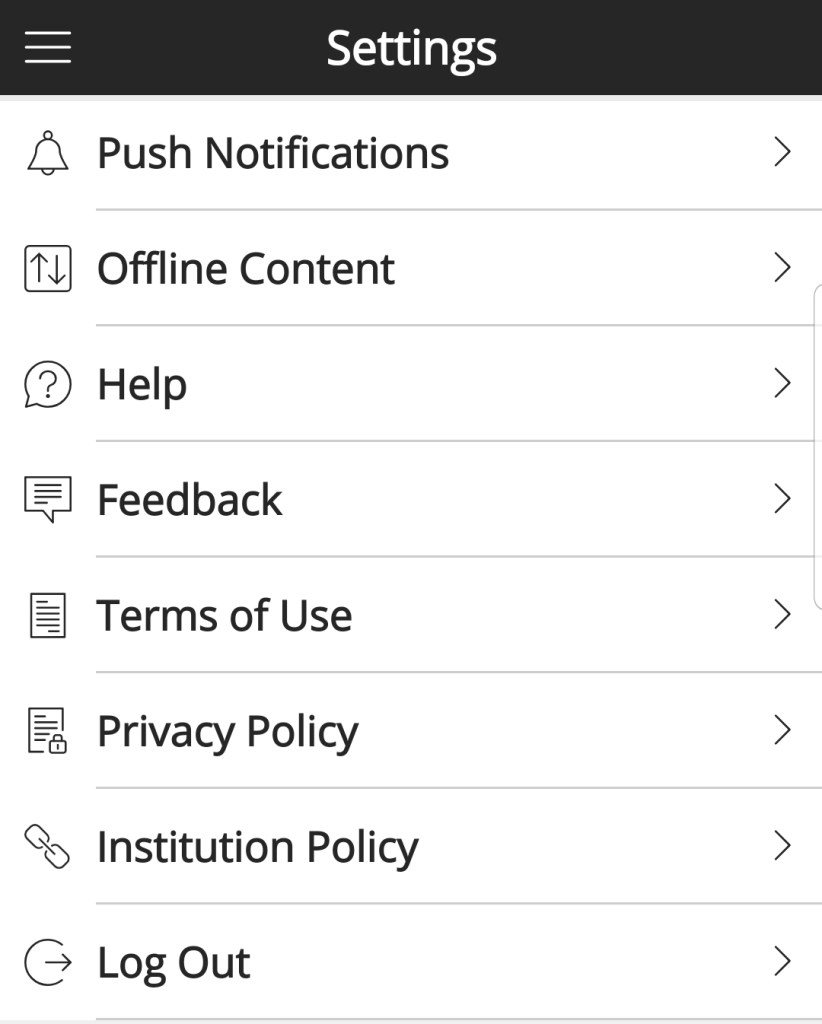
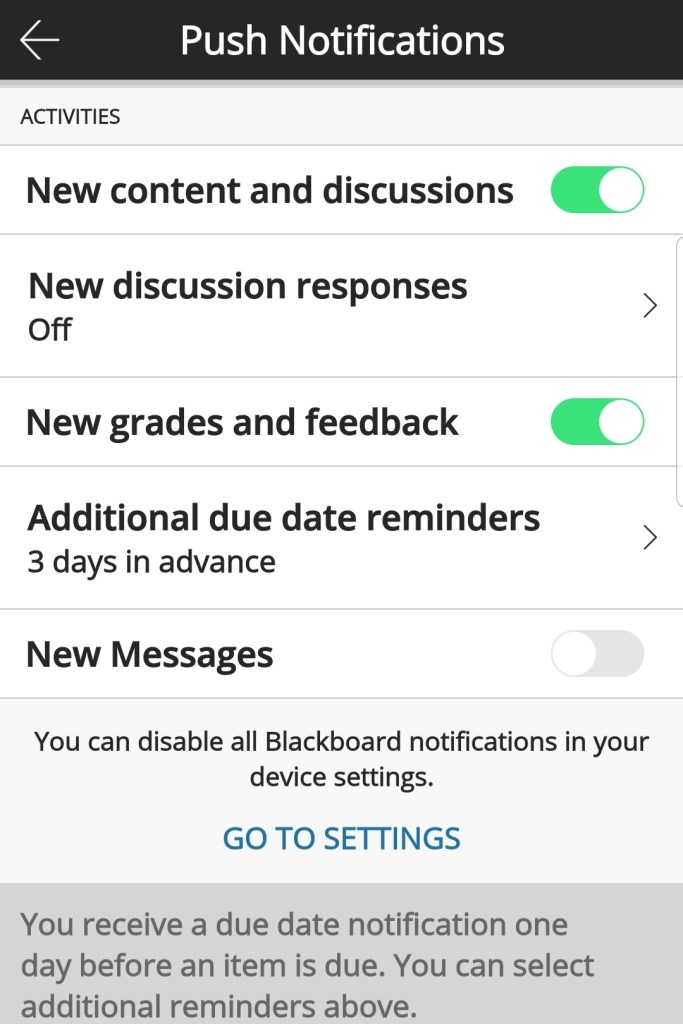
Option 1: Blackboard App
- Open Blackboard App
- Click Settings
- Push Notifications
- New discussion responses >
- Toggle on/off


Option 2: Desktop version
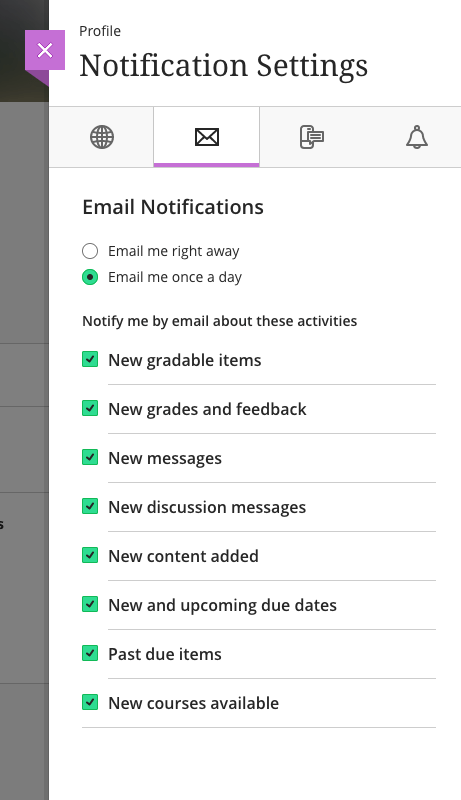
As of 06/28/2022, this option did not work for me, as I do not have discussions messages in my list of notification settings
- LU Connect
- LU Learn (Blackboard)
- Click your name
- Click Global Notification Settings/Email Notifications
- Check the box next to new discussion messages
- Confirm settings for email once a day vs right away
- Save changes
Blackboard (Old, non-ultra systems)
To subscribe to a discussion board post:
- LU Connect
- LU Learn (Blackboard)
- Courses
- Click on the Course Name
- Click on Discussions
- Click the discussion thread you plan to follow
- Click Subscribe
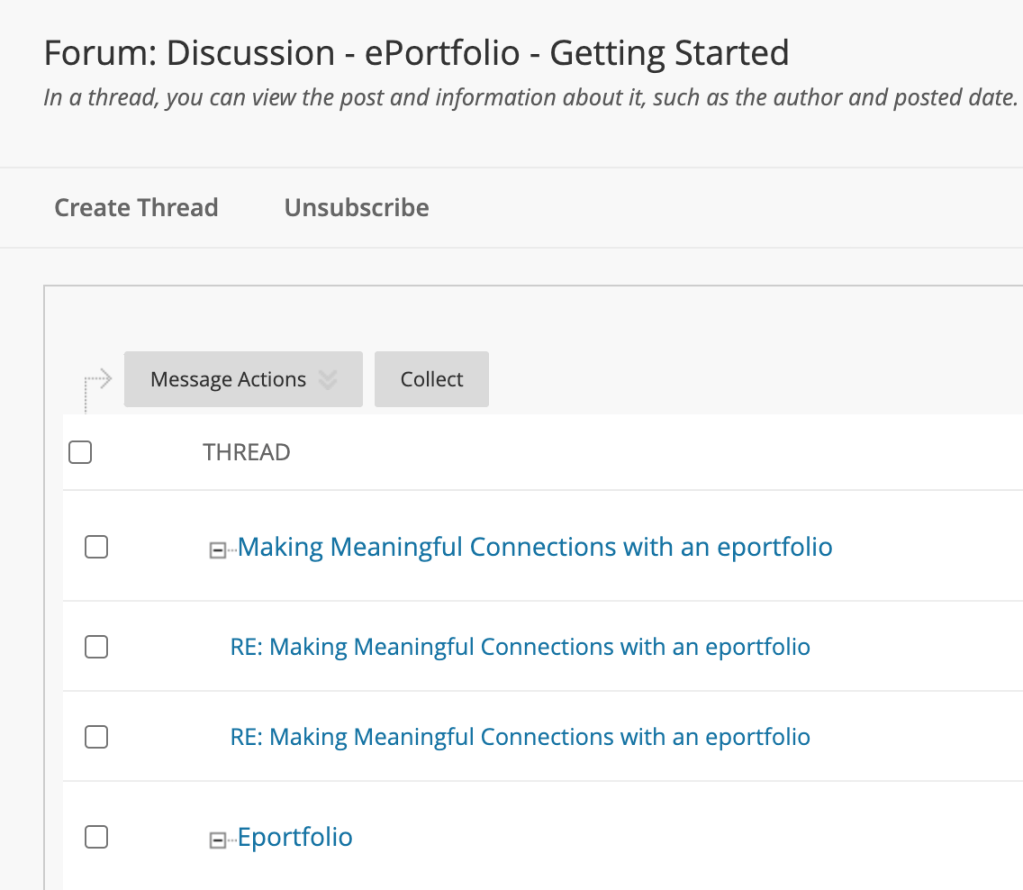
Before
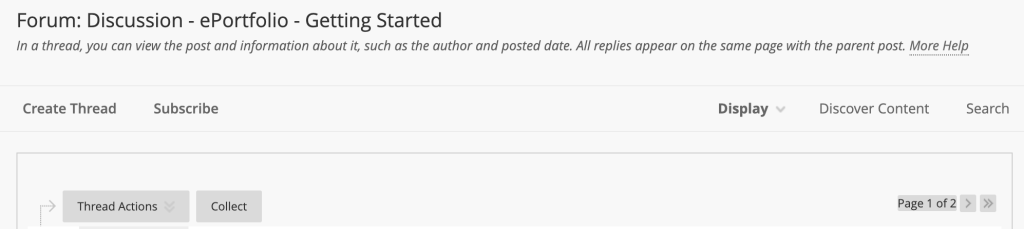
After
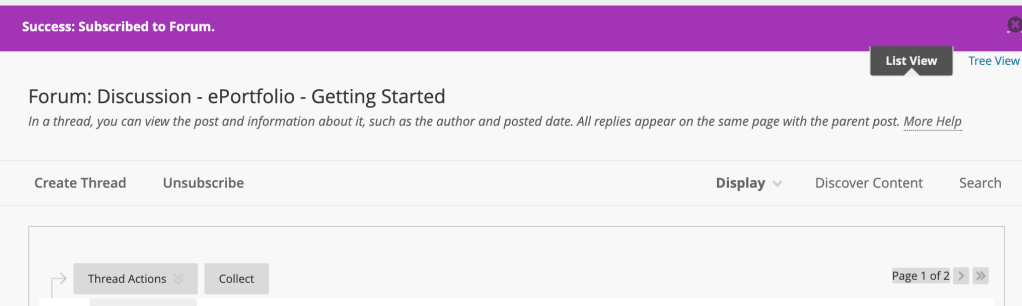
As I was creating these screenshots, the inquisitive and experimental nature that is encouraged through the ADL program is paying off. I noticed the “list view” and wondered what that feature might do. *click*
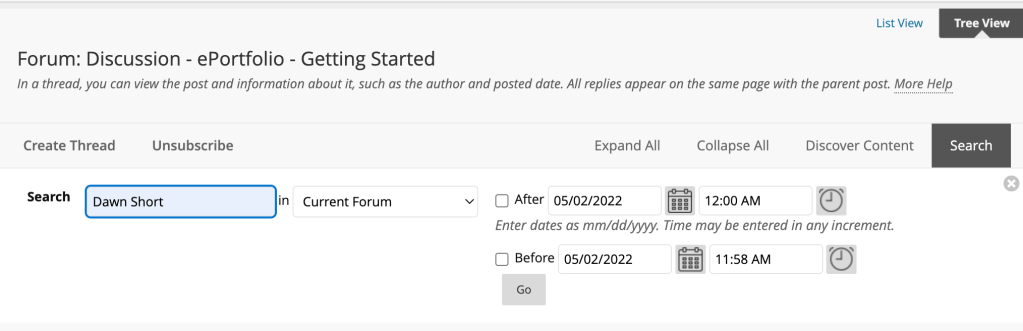
Turns out the tree view may be really helpful in determining which threads have not yet been reviewed or commented on previously.
There is a search feature as well.
Do you have any favorite Blackboard tricks you can share in the comments section?
 The Advisor That Cares